


So only one way to get the speed, is to use SPI, but with MSSP?


 |
|

 Re: My "Library" for ST7920 Graphical displays, works fine, but...
So only one way to get the speed, is to use SPI, but with MSSP?
|
Re: My "Library" for ST7920 Graphical displays, works fine, but...
By the way, as PIC16F886 datasheet says:
Master Synchronous Serial Port (MSSP) Module
supporting 3-wire SPI (all 4 modes) and I2C™
Master and Slave Modes with I2C Address Mask
This means, I can use MSSP for I2C too, via PBP?
|
Re: My "Library" for ST7920 Graphical displays, works fine, but...
Yes, the MSSP does both.
|
Re: My "Library" for ST7920 Graphical displays, works fine, but...
Yes, found some sample code for hardware I2C listed here. Reading thru them slowly....
|
Re: My "Library" for ST7920 Graphical displays, works fine, but...
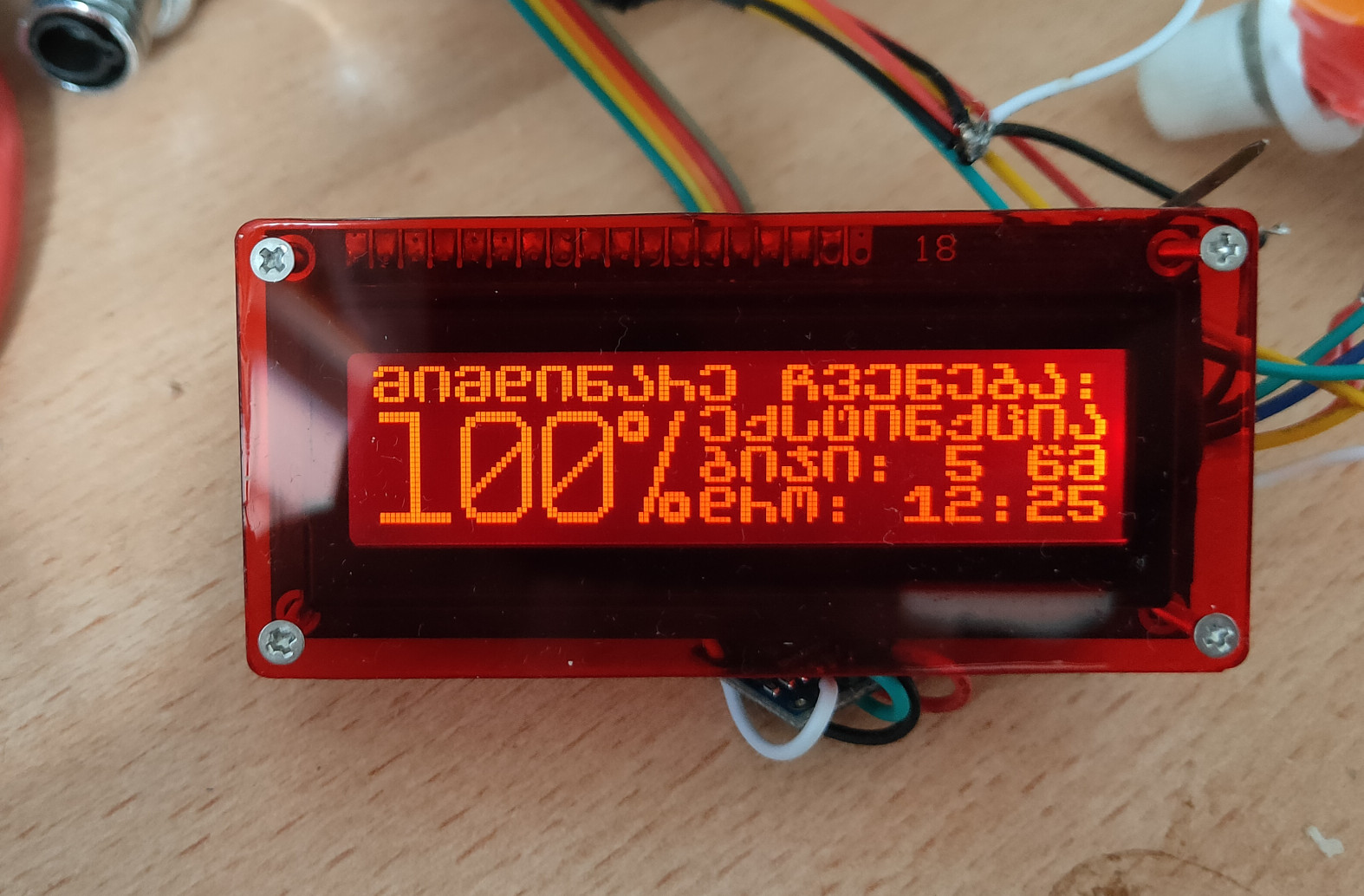
Added "giant" size, 16x24 pixels font to the charset. But some letters need fine tuning. Once completed, will make this font .hex file free for everyone.
|
Re: My "Library" for ST7920 Graphical displays, works fine, but...
Bought larger version, which has 128x64 pixels arrangement.
But the issue is, that above code can write only to upper 32 lines of display.
https://blog.projectryu.com/using-di...d-with-pic18f/
This appears to be quite similar, but not exactly, to my module. And by sending some wild bits, I found out two things:
1. it is somehow possible to adjust contrast via software, but I guess, I'm sending wrong bytes, since display hangs after this (but remaining picture has high contrast)
LCDOUT $FE, $80
LCDOUT $FE, 10
above mentioned code mentions some X variable, which seems to be the "divider" between upper and lower parts of the screen, based on this pic: https://blog.projectryu.com/wp-conte...ddress-Map.jpg
But I can't get idea, where to write it?
|
Re: My "Library" for ST7920 Graphical displays, works fine, but...
Solved issue with writing to lower lines.
These screens are actually divided into 64x32 blocks, which are addressed as 256x32, but physically located as
AB
CD
So this is it.
 Members who have read this thread : 0
You do not have permission to view the list of names.
 Posting Permissions
Bookmarks