


Sure they do. They are low on resources need!
But Neopixel? no...
Ioannis


 |
|

 Re: How exactly LCDOUT statement works?
Sure they do. They are low on resources need!
But Neopixel? no...
Ioannis
 |
Re: How exactly LCDOUT statement works?
|
Re: How exactly LCDOUT statement works?
the typical micro in uno etc is ATmega328P thats slightly more 'powerful' than a 18f26k22But arduino does neopixel with ancient chip with ease?
its no pic16 clunker, the arduino chips go upwards from there in performance
that you can see , its there , tied into a mandatory small set of fixed hardware configurationsno "hard coding" no "tied to 64mhz oscillator" - it just runs.
Warning I'm not a teacher
 |
Re: How exactly LCDOUT statement works?
|
Re: How exactly LCDOUT statement works?
And what about BMP180 pressure sensor?
I only find sample code for BMP085 on this forum, and it requires PBPL and high end chip too
but why? isn't that simple I2C interfacing?
|
Re: How exactly LCDOUT statement works?
Sure, interfacing the chip is simple I2C or SPI but there's some quite heavy math involved in order to go from the raw values you get out of the chip to actual "units". Just look at the datasheet. If you can use the BME280/BMP280 instead, I've posted code for that - but yes it requires an 18F part in order to perform the math involved.
(It might be that the code would work for the BMP180 as well, I won't investigate).
|
Re: How exactly LCDOUT statement works?
Thanks!
So there is no PIC16 friendly barometric pressure sensor available?
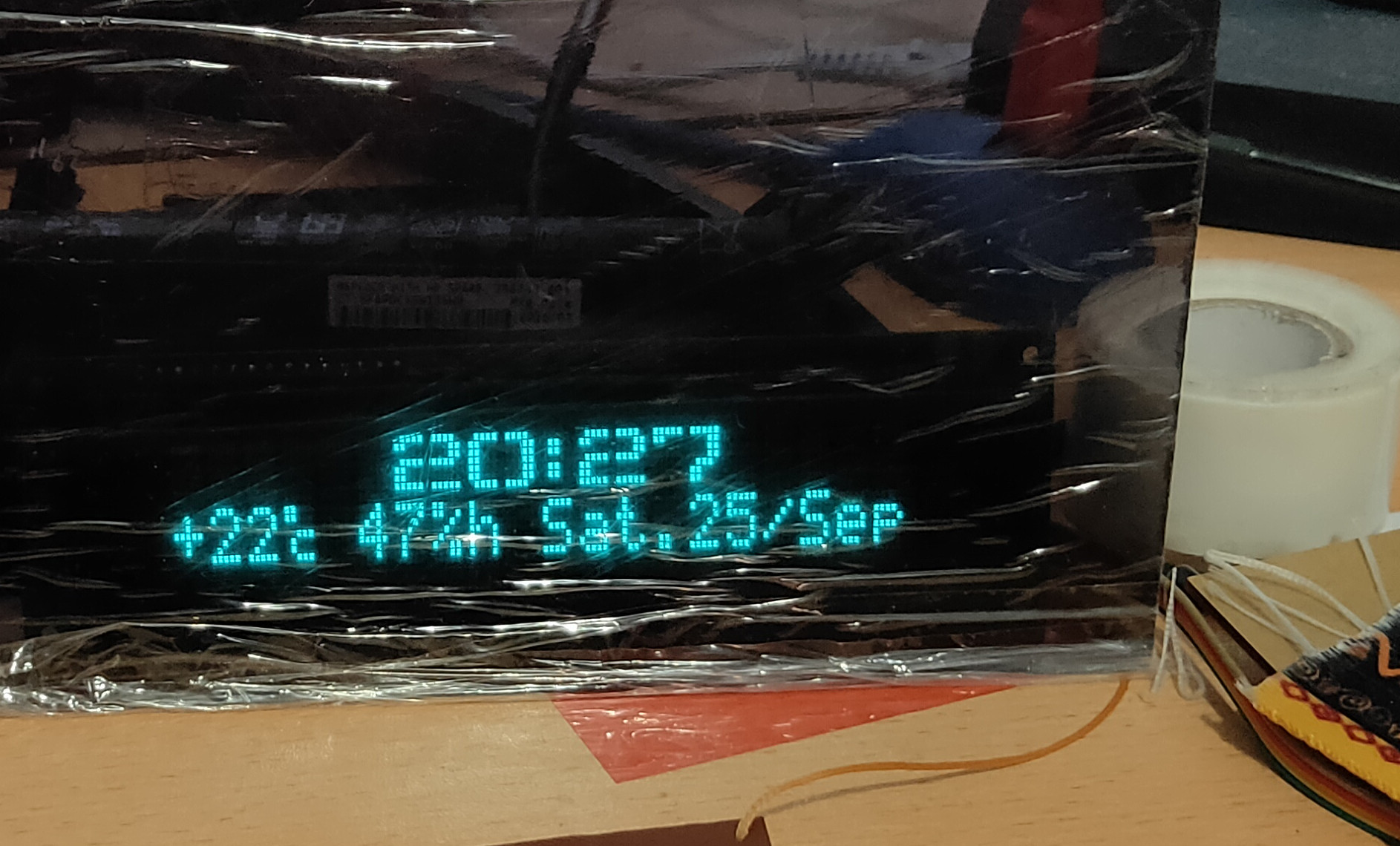
I want to integrate it into my VFD clock project - I already have DHT22, DS3231, TTP223 up and running. So I wanted to add barometric pressure, to do some weather forecasting
(Sorry for not removing protective sheet from filter, this is quite expensive material, a gift was send by Noritake, so I'm keeping it sealed till I'll go to final design stage and incorporate it into finished product).
|
Re: How exactly LCDOUT statement works?
Say if 1% precision for me is enough, still 18F needed?
|
Re: How exactly LCDOUT statement works?
Got some time and tested that approach with ST7920. And it indeed works.
While PBP seems to beginning to belong to dead language category, I'll leave this simple code here anyways - maybe someone will find it useful.
ST7920 is wired as standard HD44780 in 4 bit mode. With appropriate LCD pins defined.
Note: X counter increases after each write by itself, but Y counter - not, so you have to do it manually.Code:LCDOUT $FE,$2E 'enable graphic mode LCDOUT $FE,$80 'set Y position to zero (Top) LCDOUT $FE,$80 set X position to zero (Left) LCDOUT 255 'draw a line consisting of 8 pixels in top left row
And this simple code fills up entire screen with white:
Code:LCDOUT $FE,$2E for Z=0 to 32 LCDOUT $FE,$80+z LCDOUT $FE,$80 FOR x=1 TO 18 LCDOUT 255 NEXT next
 Members who have read this thread : 0
You do not have permission to view the list of names.
 Posting Permissions

Bookmarks