


I found it!
I changed
if PORTA.0 = 1 Then second_pause
to
if PORTA.0 == 1 Then second_pause
Its now working correctly


 |
|

 Re: Need help with 16F676 button press
I found it!
I changed
if PORTA.0 = 1 Then second_pause
to
if PORTA.0 == 1 Then second_pause
Its now working correctly
|
Re: Need help with 16F676 button press
I have a hard time believing that was the actual problem. In PBP (unlike, for example, C) = and == are the same thing. And you basically have the proof in your own code sine the WHILE loop works and you have only one = in that comparison.I would try changing it back and see if it really returns to a non working state.Code:second_pause: While PORTA.0 = 1 ' <--- See, you don't need == wend
/Henrik.
|
Re: Need help with 16F676 button press
Originally Posted by HenrikOlsson

Hi Hentik,
I added the second = to the While loop when I updated the IF statement.
I can definitely change the IF statement back to a single = and see if it goes back to not working - just for a validation test.
Prior to making the change in the IF statement - I also removed the bias resistors and set PortA.0, 1, & 2 with internal pull-ups - and setup the buttons so that they pull to ground.
I'll change the IF statement and let you know
Last edited by dw_picbasic; - 2nd January 2021 at 00:37.
|
Re: Need help with 16F676 button press
Well - you were right.
I changed it back to a single = and it still works.
So I can only guess.
The only other change I made was to add the internal pull-ups and switch the buttons to press pins to ground.
And I did that before changing the IF statement and it still didn't work until after I changed the IF statement.
I added two more buttons - one to manually increment hour and one to manually increment minute.
But in any case - its working - which is a good thing! :-]
 |
Re: Need help with 16F676 button press
|
Re: Need help with 16F676 button press
Hi dw_picbasic,
I'm an electrician and when I need a lamp to light on, I turn on (a kind of "1" level) the button that will provide energy to the lamp.
In electronic, it is different. As I learned over time, a good practice is to use "inverted-logic" for digital inputs.
I see, you pull-down your input pin so you wait for a high level (or "1" or "active high") to trigger an event. I might suggest you to "invert" your way of thinking and trigger your event(s) when the button goes to a "low" level (or "0" or "active low").
Waiting for a "low level" means that you need to keep the input always "high" like in this shema.
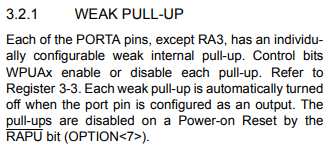
Your PIC has alread built-in "weak pull-ups" (find this in your datasheet) like R1 so you don't need to add anything to your button. Use them in place of your external resistor(s)
This way of doing has some advantages and one of them is a good protection against noise.
Roger
 Members who have read this thread : 0
You do not have permission to view the list of names.
 Posting Permissions

Bookmarks