Thanks guys
Didn't want to do the wiring, but should have at least searched!
Thanks guys
Didn't want to do the wiring, but should have at least searched!
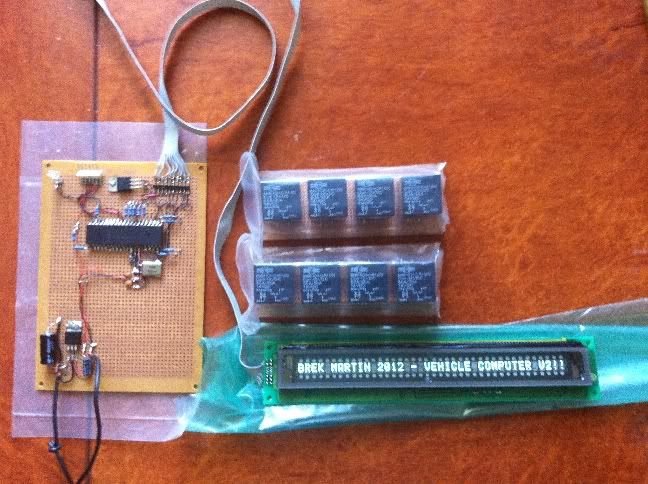
It's a VFD display with the standard LCD controller.
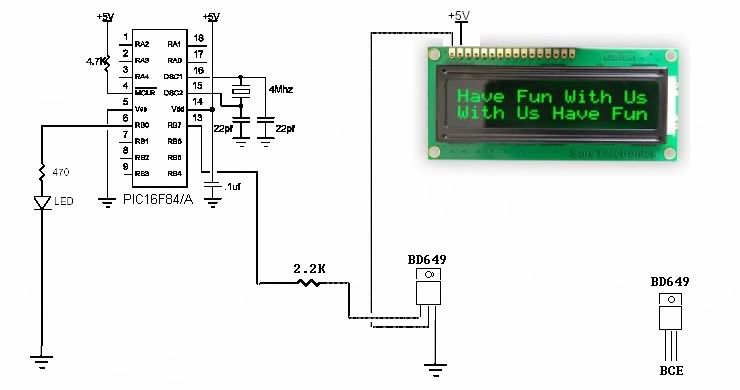
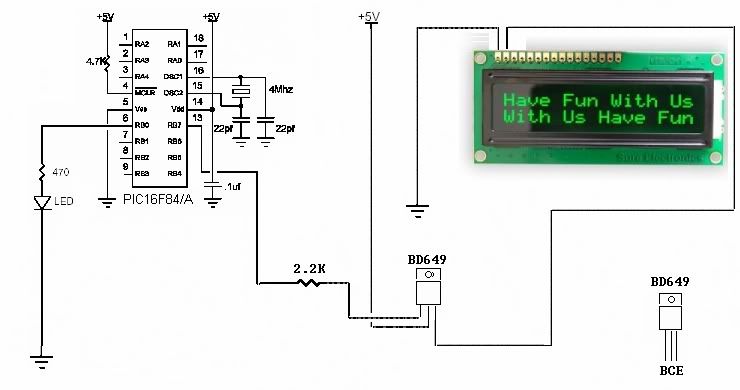
It's working with one metre of cable, but a bit hit & miss.
No garbled text, but sometimes it doesn't come on at all.
Maybe it just needed a longer startup time than the usual PAUSE 1000.
Ideally, I want about five metres of cable length, so I'll keep reading!
In the thread where we ran them on 25/40ft cables, the LCDOUT library routines were over-ridden so the timing could be changed.
Normally, the LCDOUT command gives a 1uS pulse on the enable line.
But as the cable gets longer, 1uS isn't enough.
I used 5uS for the 25 ft length, which seemed to overcome the rounding off of the waveform on a scope.
You might try using the routines from that thread with the modified timing.
Essentially, it's the LCD_AnyPin routines with a few modifications.
DT
Will do, thanks
I think I'll have to.
A little problem...
Installed the hijack routines and the two files in PBP directory.
When I use the include file for lcdanypin, I get an error (using MPASM)
for line 87 which is this line:
LOW LCD_RS : HIGH LCD_E
If I comment that out I then get a lot of errors
LCD_RS and LCD_E should be declared in your program, along with the other LCD pins.
Something like ...Code:;----[ Change these to match your LCD ]--------------------------------------- LCD_DB4 VAR PORTA.0 LCD_DB5 VAR PORTB.3 LCD_DB6 VAR PORTB.7 LCD_DB7 VAR PORTC.1 LCD_RS VAR PORTD.4 LCD_E VAR PORTA.1 LCD_Lines CON 2 ' # of Lines on LCD, 1 or 2 (Note: use 2 for 4 lines) LCD_DATAUS CON 50 ' Data delay time in us LCD_COMMANDUS CON 2000 ' Command delay time in us INCLUDE "LCD_AnyPin.pbp" ; *** Include MUST be AFTER LCD Pin assignments ****
DT
Bookmarks